Best Broadband Routers in the UK Compared
The router included with a broadband package affects Wi-Fi coverage, wireless speed and the number of devices you can connect by cable. It becomes particularly important on gigabit and multi-gigabit broadband, where an older hub can prevent one device from using the full connection speed.
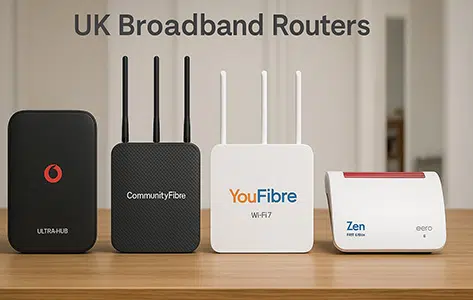
EE offers the best standard router among the major UK providers. Its Smart Hub 7 Plus uses Wi-Fi 7, includes a 2.5Gbps Ethernet socket for a wired device and comes with selected full-fibre packages. BT, TalkTalk and Vodafone now include Wi-Fi 6 hubs with their standard packages, while Plusnet continues to supply a Wi-Fi 5 router.
Sky has the best package-specific router specifications. The Sky Gigafast+ Hub combines tri-band Wi-Fi 7 with a 6GHz band and 10Gbps wired connectivity, but it is restricted to selected multi-gigabit services. Vodafone Pro 3 is the better whole-home package because it combines the Ultra Hub 7, a Wi-Fi 7 booster and automatic 4G broadband backup.
Several smaller full-fibre providers supply better standard hardware than the largest providers. YouFibre, Gigaclear, KCOM and toob now include Wi-Fi 7 equipment on current packages, although the router model and number of mesh units depend on the selected service.
Router allocation can change by package, broadband network and installation type. Check the equipment named in the order summary before committing to a contract.
Best broadband routers at a glance
| Category | Best router |
|---|---|
| Best standard router from a major provider | EE Smart Hub 7 Plus Reason: Dual-band Wi-Fi 7 and a 2.5Gbps LAN port. |
| Best package-specific router | Sky Gigafast+ Hub Reason: Tri-band Wi-Fi 7 with 6GHz and 10Gbps Ethernet. |
| Best premium whole-home package | Vodafone Pro 3 Reason: Ultra Hub 7, Wi-Fi 7 booster and automatic 4G backup. |
| Best regional multi-gigabit router | YouFibre Hub Pro Reason: Tri-band Wi-Fi 7 with 10Gbps WAN and LAN ports. |
| Best Wi-Fi 7 equipment on slower packages | Gigaclear, KCOM and toob Reason: Wi-Fi 7 is available without requiring a multi-gigabit package. |
| Best advanced controls | Zen FRITZ!Box 7530 AX Reason: Detailed local settings, guest access and mesh compatibility. |
| Most basic current standard router | Plusnet Hub Two Reason: Dual-band Wi-Fi 5 with no provider-operated mesh service. |
These verdicts use current router specifications and package allocation rather than laboratory Wi-Fi testing. Wireless results vary with the home layout, wall construction, interference, router position and the device connected to it.
Router comparison method
We assessed each provider’s current new-customer equipment in five areas:
- Wi-Fi generation and frequency bands
- WAN and LAN port speeds
- Router availability on standard and premium packages
- Mesh units, Wi-Fi guarantees and mobile backup
- Controls, Digital Voice compatibility and third-party router options
A newer Wi-Fi number does not automatically produce wider coverage. A well-placed Wi-Fi 6 router can deliver a better connection than a Wi-Fi 7 router placed inside a cupboard. A two-unit mesh system can also be more useful in a large or awkwardly shaped home than a more advanced single router.
The guide therefore separates standard equipment from paid upgrades and package-specific hubs. It also distinguishes dual-band Wi-Fi 7 from tri-band equipment that includes the newer 6GHz frequency.
Major provider routers
BT Smart Hub 3
The Smart Hub 3 brings BT’s standard equipment up to Wi-Fi 6. Its 4×4 5GHz radio gives it more wireless capacity than many basic ISP hubs, while four 1Gbps LAN ports leave enough wired connections for a television, games console, computer and network storage device.
The 2.5Gbps socket is the WAN connection from the full-fibre ONT rather than a multi-gigabit LAN port for a computer. This is not a restriction on BT’s current packages, which remain below 1Gbps, but it means the router cannot deliver more than 1Gbps to one wired device.
BT’s matching Complete Wi-Fi Plus extender also uses Wi-Fi 6. Customers with an older Smart Hub 2 and Complete Wi-Fi discs should not assume that BT will replace them automatically when a new router launches.
EE Smart Hub 7 Plus and Smart Hub 7 Pro
EE has the most advanced standard equipment among the major national providers. The Smart Hub 7 Plus uses dual-band Wi-Fi 7 and has a separate 2.5Gbps LAN port, so a compatible computer can receive more than 1Gbps on a suitable package.
The Smart Hub 7 Pro adds the 6GHz band and four 2.5Gbps LAN ports. This is the more capable option for a home with multi-gigabit computers, network storage or a fast wired network. Its 2.5Gbps WAN port is sufficient for EE’s widely available speeds up to 1.6Gbps.
The two routers look similar, so the model name matters. Wi-Fi 7 branding alone does not confirm that the router has 6GHz or several multi-gigabit LAN ports.
Sky Broadband Hub, Max Hub and Gigafast+ Hub
Sky now has three clearly separated hardware levels. The black Sky Broadband Hub uses Wi-Fi 5 and remains the basic option. Sky WiFi Max moves eligible customers to the white Wi-Fi 6 Sky Max Hub and adds access to Sky Max Pods when the router cannot deliver the guaranteed room speed.
The Gigafast+ Hub is a substantial upgrade. It uses 2.4GHz, 5GHz and 6GHz Wi-Fi 7 and includes a 10Gbps LAN port. A compatible computer can therefore use more than 1Gbps over Ethernet on Sky’s selected multi-gigabit packages.
Sky does not offer the Gigafast+ Hub as a general router upgrade. Customers on slower packages receive the router assigned to their package, even when faster equipment exists elsewhere in Sky’s range.
Virgin Media Hub 3, Hub 4, Hub 5 and Hub 5x
Virgin Media router allocation depends on the broadband package, the local network and the equipment already installed. Hub 3 and Hub 4 use Wi-Fi 5, while Hub 5 and Hub 5x use Wi-Fi 6.
Hub 5 is the better option on Virgin’s cable network because its 2.5Gbps LAN port can deliver a Gig1 connection to one compatible device without the 1Gbps Ethernet restriction. Hub 5x is used on Virgin’s newer XGS-PON network and includes a 10Gbps LAN port.
Virgin Media WiFi Max can add up to three Pods. It guarantees at least 30Mbps download speed in every eligible room or offers a £100 account credit. The service is included with Gig1, Gig2 and Volt or available as an add-on with eligible slower packages.
Customers planning to use their own mesh system should note a significant Hub 5x limitation. Hub 3, Hub 4 and Hub 5 have modem mode, but Hub 5x does not currently offer it.
Vodafone Power Hub and Ultra Hub 7
Vodafone supplies the dual-band Wi-Fi 6 Power Hub with its standard broadband. It is a considerable improvement over the older Vodafone Wi-Fi Hub and is suitable for packages up to 910Mbps.
Pro 3 customers receive the dual-band Wi-Fi 7 Ultra Hub 7 and a Super WiFi 7 Booster. The router uses Multi-Link Operation across 2.4GHz and 5GHz, but it has no 6GHz radio. That distinction matters when comparing it with the tri-band Sky Gigafast+ Hub, EE Smart Hub 7 Pro and YouFibre Hub Pro.
Vodafone Pro 3 also includes automatic 4G broadband backup. This gives the package an advantage for home workers and households that want a temporary connection during a fixed-line fault.
TalkTalk Wi-Fi Hub 3
TalkTalk now supplies the Wi-Fi 6 Hub 3 with its current Full Fibre packages. It replaces the confusing package allocation that previously used different Amazon eero products on selected speeds.
The Hub 3 is dual-band, mesh-ready and capable of connecting more than 128 devices. Mesh-ready means that compatible extra equipment can join the same Wi-Fi network; it does not mean a second mesh unit arrives with every order.
Existing TalkTalk customers can still have a Wi-Fi Hub, eero 6 or eero Pro 6 from an earlier package. The router attached to an existing account will not necessarily change when the customer renews.
Plusnet Hub Two
The Hub Two remains easy to set up and gives Plusnet customers local router controls, but its Wi-Fi 5 specification is now behind BT, EE, TalkTalk and Vodafone.
Its seven internal antennas and 4×4 5GHz radio are respectable for an older hub. The more important restrictions are the absence of Wi-Fi 6, no provider mesh package and no Ethernet connection above 1Gbps.
On full fibre, one of the four Gigabit sockets becomes the WAN port connected to the ONT. Three Gigabit LAN ports remain for wired devices. Plusnet’s Full Fibre 900 connection can still reach its expected wired speed through a 1Gbps port.
Full-fibre and regional provider routers
Community Fibre
Community Fibre now has one of the widest router ranges, but the package speed determines the equipment. Customers on packages below 100Mbps still receive a Wi-Fi 5 Linksys WHW01. The MX20 introduces Wi-Fi 6 from 100Mbps to 500Mbps.
The M60 brings dual-band Wi-Fi 7 to packages from 1Gbps through 2.5Gbps Premium. The 5Gbps Premium service receives the M62, which adds 6GHz and the 10Gbps LAN connection needed to send the full package speed to one compatible wired device.
This range is technically appropriate at the faster end, but buyers should not describe Community Fibre as a universal Wi-Fi 7 provider. Its slower packages still use Wi-Fi 5 or Wi-Fi 6 equipment.
YouFibre
YouFibre includes Wi-Fi 7 on its current residential packages. The standard YouFibre Hub is dual-band and has one 2.5Gbps LAN port, which is suitable for the You 2000 service and multi-gigabit wired devices.
The YouFibre Hub Pro accompanies You 8000. It adds 6GHz, a 10Gbps WAN port and a 10Gbps LAN port. These connections are essential because a 1Gbps or 2.5Gbps socket cannot deliver the full 8Gbps package speed to one device.
YouMesh adds compatible Wi-Fi 7 boosters for homes that need more than one access point. A single Wi-Fi 7 router is not a substitute for a properly placed mesh system in a large home.
Gigaclear
Gigaclear includes an eero Wi-Fi 7 router with every current package. The eero 7 is dual-band and has two 2.5Gbps Ethernet sockets. The 900Mbps package includes the tri-band eero Pro 7 Smart WiFi mesh equipment, adding 6GHz and two 5Gbps Ethernet sockets.
This is a particularly good equipment range for rural full-fibre customers because Wi-Fi 7 is not restricted to the fastest package. The eero platform is simple to manage through an app, although customers who want extensive local router settings will prefer Zen’s FRITZ!Box approach.
KCOM
KCOM’s current full-fibre range uses the same eero 7 and eero Pro 7 family. The dual-band eero 7 accompanies packages below Power Fibre 900, while the 900Mbps package receives the tri-band eero Pro 7.
Both models have Ethernet connections above 1Gbps, and KCOM includes eero Secure. Customers with an older KCOM eero 6+ should not assume that a new Wi-Fi 7 model will arrive automatically.
toob
New toob customers receive the Linksys SPNMX60TB Wi-Fi 7 router on its current packages, apart from special offers that state different equipment. It uses the 2.4GHz and 5GHz bands rather than a 6GHz radio.
The router has the multi-gigabit connection needed for toob’s home2300 service. A computer, dock or console also needs a 2.5Gbps Ethernet port to receive more than 1Gbps.
toob Complete Wi-Fi adds a compatible Wi-Fi 7 mesh unit. Its guarantee is at least 35Mbps in the main living areas, excluding gardens and specified external spaces.
Zen Internet
Zen’s FRITZ!Box 7530 AX is the best provider router for customers who want detailed controls. It uses Wi-Fi 6 rather than Wi-Fi 7, but offers a mature local interface, guest Wi-Fi, parental controls, telephone features and compatibility with FRITZ!Repeaters.
Full Fibre Max uses eero equipment. The eero Pro 6E is included, while eero Max 7 is an upgrade. Zen Digital Voice does not work with the eero option, so customers who need a home phone must take that restriction into account before changing hardware.
Hyperoptic
Hyperoptic documents several Hyperhub models rather than guaranteeing one router for every new order. Current Zyxel EX3301, EX3501 and EX5601 equipment uses dual-band Wi-Fi 6, but the Ethernet connections and package allocation differ.
The EX3301 has four 1Gbps LAN ports and is adequate for broadband up to 1Gbps. A customer ordering a faster package should confirm the exact Hyperhub and multi-gigabit port arrangement, because a 1Gbps LAN connection limits one wired device to less than the full multi-gigabit service speed.
Whole-home Wi-Fi packages compared
| Provider, service and equipment | Guarantee and conditions |
|---|---|
| Vodafone Pro 3 Equipment: Ultra Hub 7 and Super WiFi 7 Booster. |
|
| Sky WiFi Max Equipment: Sky Max Hub or Gigafast+ Hub, with up to three Sky Max Pods when required. |
|
| Virgin Media WiFi Max Equipment: Compatible Virgin Media Hub and up to three WiFi Pods. |
|
| BT Complete Wi-Fi Plus Equipment: Smart Hub 3 and compatible Wi-Fi 6 extender. |
|
| Gigaclear Smart WiFi Equipment: eero 7 or eero Pro 7 with compatible eero mesh units. |
|
| toob Complete Wi-Fi Equipment: Linksys Wi-Fi 7 router and compatible mesh unit. |
|
| Fibrus Total Home Wi-Fi Equipment: eero 6+ or eero Pro 6E, depending on the package. |
|
Mesh-ready only means the router can form one network with compatible extra units. It does not confirm that the provider includes another unit in the standard monthly price.
The guaranteed figure is also a minimum room speed rather than the speed of the broadband package. A 25Mbps whole-home guarantee does not mean a 900Mbps package will deliver 900Mbps over Wi-Fi in every bedroom.
Most guarantees exclude gardens, detached garages, sheds, annexes and unconverted lofts. Providers can also require app-based tests, troubleshooting, revised router placement or an engineer visit before issuing a credit or allowing the Wi-Fi add-on to end.
Best standard and premium broadband routers
Standard routers compared with premium equipment
A fair router comparison must separate equipment included with an ordinary broadband package from hardware tied to a paid add-on or faster service.
EE’s Smart Hub 7 Plus, BT’s Smart Hub 3, TalkTalk’s Hub 3 and Vodafone’s Power Hub are current standard routers. Sky’s Gigafast+ Hub, EE’s Smart Hub 7 Pro, Vodafone’s Ultra Hub 7 and YouFibre’s Hub Pro require a particular package or premium service.
The premium models are technically better, but they can increase the total contract cost or require a connection speed that the home does not need. For a 150Mbps service in a two-bedroom flat, correct router placement has greater value than a 10Gbps Ethernet port. A larger three-storey home can benefit more from two Wi-Fi 6 mesh units than one tri-band Wi-Fi 7 hub placed at the front of the ground floor.
Best standard router included with broadband
EE Smart Hub 7 Plus is the best standard router from a major provider. Dual-band Wi-Fi 7 improves efficiency with compatible devices, and the 2.5Gbps LAN socket is useful on EE’s faster full-fibre packages.
Gigaclear, KCOM and toob offer Wi-Fi 7 without requiring an expensive premium broadband bundle. Their regional availability prevents them from becoming a national recommendation, but customers inside their service areas should compare the included equipment with the standard hubs from larger providers.
BT Smart Hub 3 and TalkTalk Wi-Fi Hub 3 are good Wi-Fi 6 alternatives. Vodafone’s Power Hub also uses Wi-Fi 6, although its best equipment remains tied to Pro 3.
Best premium router hardware
The Sky Gigafast+ Hub has the best published package-router specification. It combines all three current Wi-Fi bands with 10Gbps WAN and LAN connections. This allows a compatible wired device to receive more than 2.5Gbps and gives newer 6GHz devices a less congested wireless band.
YouFibre Hub Pro is the better regional option for very fast broadband. It has 10Gbps WAN and LAN ports for the You 8000 package and four additional 1Gbps LAN ports.
EE Smart Hub 7 Pro is a better option for a home with several 2.5Gbps wired devices because all four LAN ports operate at 2.5Gbps. It cannot deliver more than 2.5Gbps to one wired client, but that is above EE’s current widely available 1.6Gbps service.
Vodafone Ultra Hub 7 offers Wi-Fi 7 but no 6GHz band. Its main advantage comes from the wider Pro 3 bundle rather than the router alone.
What you need to know about broadband routers
Wi-Fi 5, Wi-Fi 6, Wi-Fi 6E and Wi-Fi 7
Wi-Fi 5 remains adequate for browsing, streaming and video calls on many devices, but it is less efficient when numerous products use the network at once. Plusnet Hub Two, Sky Broadband Hub and Virgin Hub 3 or Hub 4 all use Wi-Fi 5.
Wi-Fi 6 improves capacity and efficiency in busy homes. Compatible devices can communicate with the router more efficiently, which helps when phones, televisions, cameras, speakers and computers are online together. BT Smart Hub 3, TalkTalk Hub 3, Vodafone Power Hub and Virgin Hub 5 use Wi-Fi 6.
Wi-Fi 6E adds the 6GHz band to Wi-Fi 6. This band has more clear spectrum and can deliver faster short-range connections, but only compatible devices can use it.
Wi-Fi 7 introduces features including Multi-Link Operation, which lets compatible equipment use more than one wireless link. Wi-Fi 7 does not automatically mean that a router has the 6GHz band. EE Smart Hub 7 Plus, Vodafone Ultra Hub 7, YouFibre Hub, Gigaclear eero 7, KCOM eero 7 and toob’s current router are dual-band Wi-Fi 7 models.
Wi-Fi bands compared
| Band | Benefits and limitations |
|---|---|
| 2.4GHz | Benefit: Travels farther and reaches through walls more effectively. Limitation: Offers lower speeds and is more vulnerable to interference. |
| 5GHz | Benefit: Offers faster Wi-Fi than 2.4GHz and works with a wide range of devices. Limitation: Has less reach through walls and floors. |
| 6GHz | Benefit: Provides clearer spectrum and very fast connections at shorter distances. Limitation: Has the shortest reach and requires compatible Wi-Fi 6E or Wi-Fi 7 equipment. |
A tri-band router is not automatically a three-unit mesh system. Tri-band describes the wireless frequencies inside one device. Mesh describes several access points forming one home network.
Ethernet ports and multi-gigabit broadband
Ethernet specifications are as important as the Wi-Fi number. A router can accept a fast connection through its WAN port while restricting individual wired devices through slower LAN ports.
The WAN port connects the router to the ONT or modem. LAN ports connect computers, consoles, televisions, switches and other equipment inside the home.
A 1Gbps LAN connection commonly produces a maximum internet speed of 930–950Mbps after networking overhead. A customer with a 2Gbps, 2.5Gbps, 5Gbps or 8Gbps package therefore needs a faster LAN port to send the full connection to one device.
One-device multi-gigabit speed requires every part of the connection to be capable of the selected speed:
- A router WAN port faster than the broadband package
- A router LAN port faster than 1Gbps
- A 2.5Gbps, 5Gbps or 10Gbps network adapter in the receiving device
- A compatible Ethernet cable, dock, switch and wall socket
- A download source capable of sending data at that speed
Without those components, the extra broadband capacity is shared across several wired and wireless devices. The package is not faulty simply because one laptop has a 1Gbps network card.
Router position and Wi-Fi coverage
The best router can perform poorly in the wrong position. Place it upright in an open area, above floor level and away from televisions, large metal objects, fish tanks and thick structural walls.
The ideal position is close to the centre of the home. FTTP installations often place the ONT near an external wall, so the supplied Ethernet cable can leave the router at one end of the premises. Ask the installer about a better ONT or router position before drilling and cabling are completed.
A booster should not be placed inside the room that has no signal. Put it between the main router and the weak area, at a point that still receives a reliable connection from the router. Ethernet backhaul between mesh units gives more consistent results because the nodes do not have to exchange all data over Wi-Fi.
Using a third-party router
Many customers can replace the provider router or connect a separate mesh system, but the setup differs by network.
On FTTP, the new router normally connects to the ONT by Ethernet. It must use the provider’s required authentication and VLAN settings. Plusnet and several Openreach providers use PPPoE, while Sky equipment requires compatible DHCP authentication. A router that lacks the necessary setting will not connect even if its Wi-Fi specification is suitable.
On FTTC, the replacement needs a VDSL2 modem or a separate modem in front of the router. An ordinary Ethernet-only mesh router cannot connect directly to the telephone master socket.
Virgin Media Hub 3, Hub 4 and Hub 5 can use modem mode, which disables their routing and Wi-Fi functions while retaining the cable modem. Hub 5x does not currently include modem mode, so customers on Virgin’s XGS-PON network face a more complicated setup involving the provider hub.
Replacing the supplied router can disable Digital Voice, provider Pods, automatic 4G backup, app controls, security services and diagnostic tests. One alternative is to retain the provider hub and use a separate mesh system in access-point mode. This improves Wi-Fi while leaving the broadband authentication and telephone connection on the original hub.
Provider technical teams generally diagnose faults with their own equipment. Keep the supplied router even after installing another system because it can be required for line testing and fault investigation.
Choosing the best broadband router
Use these points when comparing broadband packages:
- Confirm the exact router shown in the order summary.
- Check whether the router is standard, a paid add-on or limited to a faster package.
- Choose Wi-Fi 6 or Wi-Fi 7 for a busy multi-device home.
- Look for 6GHz only when the home has compatible devices that can benefit from it.
- Require a 2.5Gbps or faster LAN port if one wired device needs more than 1Gbps.
- Compare the number of included mesh units rather than relying on “mesh-ready” wording.
- Read the minimum room speed and excluded-space conditions of any Wi-Fi guarantee.
- Check Digital Voice and provider app restrictions before using another router.
- Confirm whether loaned equipment must be returned after cancellation.
Conclusion
EE supplies the best standard router among the major UK broadband providers. The Smart Hub 7 Plus combines dual-band Wi-Fi 7 with a multi-gigabit LAN port, while the Smart Hub 7 Pro adds 6GHz and four 2.5Gbps wired connections on qualifying packages.
Sky Gigafast+ Hub has the best package-specific specifications, but its limited availability prevents it from becoming the best router for most homes. Vodafone Pro 3 is the better whole-home bundle because it includes matched Wi-Fi 7 equipment and automatic 4G broadband backup.
Customers inside smaller full-fibre networks should not overlook the router. YouFibre, Gigaclear, KCOM, Community Fibre and toob offer some of the most capable equipment, especially on gigabit and multi-gigabit packages.
Plusnet Hub Two remains the clearest weak point among current major-provider equipment. It can deliver Plusnet’s package speeds over Ethernet, but Wi-Fi 5 and the absence of a provider mesh service leave it behind current BT, EE, TalkTalk and Vodafone routers.
The final decision should reflect the home rather than the Wi-Fi number alone. Check the supplied model, usable LAN speed, number of mesh units, guarantee conditions and router position before choosing a broadband deal.
Broadband router FAQs
Does a Wi-Fi 7 router always include the 6GHz band?
No. Wi-Fi 7 can use 2.4GHz and 5GHz without a 6GHz radio. EE Smart Hub 7 Plus, Vodafone Ultra Hub 7, YouFibre Hub, eero 7 and the current toob router are dual-band Wi-Fi 7 models.
Sky Gigafast+ Hub, EE Smart Hub 7 Pro, YouFibre Hub Pro, Community Fibre M62 and eero Pro 7 add 6GHz. It gives compatible devices a clearer short-range connection, but its signal does not travel through walls as effectively as 2.4GHz.
Can one device receive the full speed of a 2Gbps, 5Gbps or 8Gbps package?
Yes, but the router, LAN port, network adapter, cable and receiving service must all operate above the package speed. A 1Gbps Ethernet port normally restricts an internet speed test to 930–950Mbps.
Check for a 2.5Gbps, 5Gbps or 10Gbps LAN port before expecting the full speed on one computer.
Does a provider automatically replace an older router after launching a new model?
No. A new router normally goes to eligible new customers, customers moving to a qualifying package or existing customers whose equipment has developed a fault.
Ask which model accompanies a renewal. Starting another minimum contract does not automatically guarantee the newest hub.
Does mesh-ready mean that a second router is included?
No. Mesh-ready means compatible access points can form one Wi-Fi network. The standard package can still include only one router.
Check the number of supplied units, the monthly cost of extra nodes and whether the provider issues them only after testing the Wi-Fi connection.
Why does Gigabit Ethernet stop below 1,000Mbps?
Ethernet and internet protocol overhead use part of the connection. A correctly operating 1Gbps link commonly records 930–950Mbps.
A result close to 94Mbps usually means a cable, port or network adapter has connected at 100Mbps. A result close to 940Mbps normally indicates a 1Gbps link.
Can Virgin Media Hub 5x use modem mode with another router?
No. Hub 5x does not currently offer the modem mode available on Hub 3, Hub 4 and Hub 5.
A separate mesh system can connect behind Hub 5x, but it can create two routing layers unless the extra equipment uses access-point mode.
Will a third-party router disable the provider’s Digital Voice service?
It can. Many digital phone services connect through the provider router and use settings that customers do not receive.
Replacing the hub can also disable provider Wi-Fi Pods, mobile backup and security controls. Keeping the provider hub and using the new Wi-Fi system in access-point mode can preserve these services.
Do Wi-Fi guarantees include gardens and detached home offices?
Usually not. Whole-home guarantees normally apply to eligible main rooms inside the home. Gardens, sheds, detached garages, annexes, outbuildings and unconverted lofts are commonly excluded.
The remedy is usually a credit, refund of the add-on or permission to end that service rather than unlimited extra equipment.
Does the customer own the router after the broadband contract ends?
It depends on the provider. Many routers and mesh units remain on loan and must be returned after cancellation or a package change. A non-return charge can apply.
Keep the box and power supply until the account closes. Provider-branded mesh equipment bought second-hand can have locked firmware or an outstanding return requirement.