Fibrely Broadband Review 2026
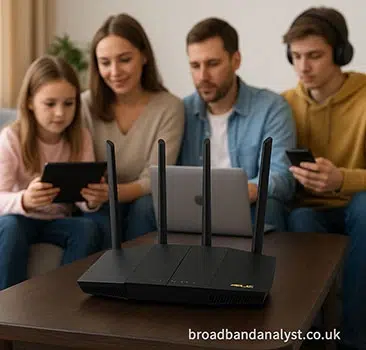
Fibrely offers four full fibre packages with average download speeds from 115Mbps to 1Gbps. Current deals start at £14.99 a month for the first six months and include standard installation, unlimited usage and an Asus ZenWiFi BD4 Wi-Fi 7 router.
Fibrely also offers 5G mobile SIMs, online security and an optional WholeHome WiFi service. Most broadband packages increase by £4 a month each April unless Broadband Assurance applies.
In a nutshell: Fibrely combines low introductory prices with four FTTP speed options and an Asus Wi-Fi 7 router. Ultrafast 330 provides the best balance for many families. However, customers should examine the annual increase, upload speeds and pre-contract summary before ordering.
| Plan | Speed | Price | |
|---|---|---|---|
 Full Fibre 115 Ultrafast Full Fibre 115 Ultrafast24 month contract |
115Mb avg |
£14.99 / month More details |
|
| FTTP. WiFi 6 router. Free Setup. £10 off for 6 months. | |||
|
Full Fibre 550 Ultrafast 18 month contract |
550Mb avg |
£20.99 / month More details |
|
| FTTP. WiFi 6 router. Free Setup. £10 off for 6 months. | |||
|
Full Fibre 330 Ultrafast 18 month contract |
330Mb avg |
£18.99 / month More details |
|
| FTTP. WiFi 6 router. Free Setup. £10 off for 6 months. | |||
|
Full Fibre 1000 Ultrafast 18 month contract |
1Gb avg |
£23.99 / month More details |
|
| FTTP. WiFi 6 router. Free Setup. £10 off for 6 months. |
Fibrely broadband at a glance
| Feature | Fibrely broadband details |
|---|---|
| Broadband technology | Full fibre to the premises (FTTP) |
| Average download speeds | 115Mbps, 330Mbps, 550Mbps and 1Gbps |
| Upload speeds | 20Mbps, 50Mbps, 75Mbps and 115Mbps |
| Comparison-site contracts | 24 months |
| Contracts available directly from Fibrely | 18 months when checked |
| Annual price increase | £4 a month each April unless Broadband Assurance applies |
| Standard installation | Included |
| Router | Asus ZenWiFi BD4 Wi-Fi 7 hub currently included |
| Whole-home Wi-Fi | Optional WholeHome WiFi service with a 10Mbps room-to-room guarantee |
| Usage limit | Unlimited |
| Home phone | Not included with the current FTTP packages |
| Mobile service | 5G SIM-only plans available separately or with broadband |
| Customer support | Telephone, live chat and email |
Fibrely Pros and Cons
Pros
- Four FTTP options from 115Mbps to 1Gbps
- Low introductory prices
- Asus ZenWiFi BD4 Wi-Fi 7 router currently included
- Standard installation and unlimited usage included
- Optional WholeHome WiFi guarantee
- Broadband Assurance can protect against the scheduled annual increase
Cons
- Comparison deals require a 24-month commitment
- Price normally increases by £4 a month each April
- Upload speeds are much lower than download speeds
- WholeHome WiFi costs extra and has important exclusions
- Some details differ across Fibrely’s sales, help and legal information
- Published out-of-contract prices are considerably higher
What speed do you need?
The 115Mbps package provides enough bandwidth for a smaller household using several devices for streaming, video calls, browsing and home working. A 4K stream commonly requires 25Mbps or less, leaving capacity for other everyday activities. Its 20Mbps upload speed is adequate for video meetings and routine cloud storage, although large online backups take longer than on the faster packages.
Ultrafast 330 provides the best balance for many families. Its 330Mbps average download speed gives a household more capacity for simultaneous streaming, gaming, remote work and large downloads. The 50Mbps upload speed is also a useful improvement for cloud backups and sending large files.
The 550Mbps package further reduces large-file download times and raises the upload speed to 75Mbps. It is ideal for a busy household where several people regularly download games, transfer large files or stream high-resolution video at the same time.
Gigafast 1000 provides a 1Gbps average download speed and 115Mbps upload speed. It can shorten downloads of very large files, but each device needs a suitable wired or Wi-Fi connection to use much of that capacity. Most individual streams, games and video calls require only a fraction of 1Gbps.
| Household use | Suggested Fibrely package | Why |
|---|---|---|
| One or two people, streaming and home working | Ultrafast 115 | Enough capacity for ordinary simultaneous use |
| A family using several connected devices | Ultrafast 330 | Extra capacity without moving immediately to the two fastest options |
| Frequent large downloads and several heavy users | Ultrafast 550 | Shorter large-file downloads and a 75Mbps upload speed |
| A very busy home network or regular multi-gigabyte downloads | Gigafast 1000 | Fibrely’s fastest download and upload speeds |
Fibrely’s packages are not symmetric. Upload speed is substantially lower than average download speed on every option. Anyone who sends large video files or completes frequent cloud backups should compare upload speeds as carefully as download speeds.
Fibrely WiFi 7 Router
Fibrely currently identifies its included hub as the Asus ZenWiFi BD4. This is a dual-band Wi-Fi 7 router with Multi-Link Operation, 160MHz channels and two 2.5Gbps Ethernet ports. It can also form part of an Asus AiMesh network.

| Router specification | Asus ZenWiFi BD4 details |
|---|---|
| Wi-Fi standard | Wi-Fi 7 (802.11be), backwards compatible with older Wi-Fi devices |
| Wireless bands | Dual-band 2.4GHz and 5GHz; no 6GHz band |
| Maximum theoretical wireless rate | Up to 3,600Mbps combined: 2,882Mbps on 5GHz and 688Mbps on 2.4GHz |
| Channel width | Up to 160MHz |
| Multi-Link Operation | Supported |
| Ethernet | Two 2.5Gbps WAN/LAN auto-detect ports |
| Antennas | Four internal antennas |
| Processor and memory | 1.5GHz quad-core processor, 512MB RAM and 128MB flash |
| Mesh and management | Asus AiMesh and Asus Router app |
| Security | WPA3 and Asus AiProtection Pro features |
Important: the router’s 3,600Mbps figure is a theoretical combined wireless rate, not the speed of a Fibrely broadband package. Actual Wi-Fi performance varies with the device, distance, walls, interference and network activity.
Fibrely’s checkout and sales information named the Asus BD4 when this review was checked, but some supporting information still referred to an older Wi-Fi 6 hub. Confirm the router model in the order summary if the Wi-Fi 7 equipment influences your decision.
Installation
Standard installation is included. Fibrely says activation takes seven working days on average, although an engineer appointment or external work can extend the timescale. If the property already has a compatible optical network terminal, the service may be activated without a full new installation visit.
The router should be placed in an open, central position where possible. Thick walls, cupboards, large appliances and placing it on the floor can reduce wireless coverage. Test the broadband through Ethernet before treating a weak Wi-Fi result in one room as a fault with the incoming connection.
What is WholeHome WiFi?
WholeHome WiFi is Fibrely’s optional mesh service. It costs £12 a month and extends coverage beyond the main router. Fibrely’s terms state that one pod is supplied initially, with additional equipment considered after troubleshooting if required. A separate help section refers to two pods, so customers should check the quantity included in their order.
The service promises at least 10Mbps in every room. The guarantee excludes areas such as basements, garages, lofts, outbuildings and exterior spaces. It also depends on the customer completing Fibrely’s recommended checks and allowing the provider an opportunity to resolve the problem.
If Fibrely cannot meet the guarantee after those steps, the terms provide a £100 bill credit. WholeHome WiFi has its own minimum term and a 14-day return period for the pods.
Read the WholeHome WiFi terms before adding it, particularly if coverage in a basement, loft, garage or outbuilding is the reason for buying it.
Is Fibrely download/upload speed and latency really any good?
Fibrely’s four FTTP packages cover the main speeds required by most homes. Full fibre carries the connection into the property rather than using copper between a street cabinet and the home. This avoids the distance-related copper limitation associated with FTTC broadband.
A full fibre connection does not guarantee that every speed test will reach the package’s average speed. Network demand, the selected test server, the customer’s device, Ethernet capability and conditions inside the home can all affect the result.
Fibrely advises customers investigating a speed problem to test through an Ethernet cable with Wi-Fi disabled. This helps separate the incoming broadband service from wireless interference inside the property.
Upload speeds range from 20Mbps to 115Mbps. That is enough for video calls, everyday cloud storage and sharing files, but the service is less attractive to users who need download and upload speeds to be equal.
No independently verified Fibrely latency figure is available for every network and location. FTTP can provide low latency, but gaming response also depends on routing, the game server and other activity on the home network. Buying the 1Gbps package does not automatically reduce latency compared with a slower Fibrely FTTP package.
What you need to know about Fibrely broadband packages
Fibrely offers four principal full fibre packages: Ultrafast 115, Ultrafast 330, Ultrafast 550 and Gigafast 1000. The live prices and offers are displayed in the comparison table above. Enter your postcode because the available network, estimated speed, contract and deal can vary by address.
Contracts, annual increases and additional charges
Current comparison deals use a 24-month minimum term and include £10 a month off for the first six months. Fibrely’s own public broadband offers used 18-month contracts when checked.
The contract summary issued before purchase is the definitive source for the monthly charge, minimum term, annual increase and any selected extras.
Fibrely states that the monthly broadband price increases by £4 each April during the minimum term unless Broadband Assurance applies. A customer joining shortly before April could therefore receive the first increase relatively early in the contract.
Broadband Assurance is Fibrely’s price-protection option. Where it is included in the order, Fibrely says the scheduled April broadband increase does not apply during the minimum term. Check whether it is included, optional or charged separately on the selected deal.
Fibrely’s pricing guide lists charges outside the normal monthly fee. These include £95 for a missed engineer appointment, £50 for a replacement router, £2.50 for a paper bill, £10 for late payment, a £50 connection fee where applicable and £9.99 postage.
The same guide lists higher monthly rolling prices after the minimum term, reaching £40 for the 115Mbps service and £60 for 1Gbps when checked. It also contains standard tariff information that does not always correspond exactly with live promotional offers, making the contract summary particularly important.
Full fibre network and availability
Fibrely is a retail broadband provider rather than the owner of one national access network. Its broadband terms refer to wholesale partners including Openreach, CityFibre and other infrastructure providers. Comparison information identified the Openreach network for the widely available deals when this review was checked.
Availability must be confirmed by postcode. National FTTP coverage does not mean Fibrely is available at every full fibre address. Fibrely’s pricing guide also lists an 80Mbps SOGEA service using a copper connection, although that option was absent from its principal full fibre offers. Homes without FTTP may therefore receive different results.
Switching to Fibrely
Fibrely can manage an eligible switch under the One Touch Switch process. Customers should not cancel their existing broadband first unless Fibrely or the old provider specifically instructs them to do so. Cancelling independently can interrupt the managed switch and may cause a loss of service.
Check whether your existing minimum term has ended and whether an early termination charge applies. Keep the activation date and router delivery details available, especially when broadband is required for home working.
Cancellation and early termination charges
The usual 14-day cooling-off period applies to distance orders. Cancelling after that period and before the minimum term ends can result in an early termination charge.
Fibrely’s published formula starts with the remaining monthly charges excluding VAT and introductory discounts, deducts 55% and then adds VAT. Any amount quoted by Fibrely should be checked against the remaining contract term and contract summary.
Moving home
Fibrely asks customers to provide at least 14 days’ notice of a move. A service at the new address may begin a new minimum term and an administration fee may apply.
If Fibrely cannot transfer the service, the existing agreement may still be subject to an early termination charge. Ask Fibrely to confirm the available options and charges in writing before the moving date.
Equipment returns
Broadband equipment normally needs to be returned within 30 days after the service ends. WholeHome WiFi pods have a shorter 14-day return requirement under their separate terms.
Use Fibrely’s supplied return process, keep proof of postage and retain it until the company confirms that the equipment has been received.
Customer service
There are three ways to get hold of Fibrely: phone, live chat or email. The phone line keeps the longest hours, running 8am to 8pm Monday to Saturday. Live chat shuts up earlier in the day, and email support only runs during the working week.
| Contact method | Details | Opening hours |
|---|---|---|
| Phone | 0330 822 4264 | Monday to Saturday, 8am–8pm |
| Live chat | Fibrely website | Monday to Saturday, 9am–5pm |
| hello@fibrely.co.uk | Monday to Friday, 9am–6pm |
Fibrely publishes its own service figures, and they read well. The provider says it picks up the phone in 27 seconds on average and answers live chat in 43 seconds. It also reckons 93% of enquiries are sorted out the same day.
| Published support figure | Response time |
|---|---|
| Telephone | 27 seconds |
| Live chat | 43 seconds |
| Enquiries handled the same day | 93% |
Bear in mind these numbers come from Fibrely itself. Nobody has checked them independently, so what you get on a busy Monday morning could look rather different.
When we looked on 20 August 2026, Fibrely held a Trustpilot score of roughly 4.4 out of 5 from over 1,000 reviews. Happy customers tended to praise the staff and how quickly they were up and running. The grumbles were mostly about billing, cancellations and faults with the service.
Trustpilot scores move about as new reviews land, and one customer's experience won't necessarily match your own.
Complaints
Start by contacting Fibrely and clearly identify the matter as a complaint. Keep your order details, dates, screenshots, speed-test results and copies of correspondence.
If the complaint reaches deadlock or remains unresolved for eight weeks, eligible residential customers can refer it to the Communications Ombudsman. Fibrely’s complaints code explains its internal complaints process and escalation route.
Is Fibrely broadband any good?
Fibrely is worth considering for customers who can receive its FTTP packages and want a low introductory price, unlimited usage and an up-to-date router. The 330Mbps option should cover the requirements of many families, while 550Mbps and 1Gbps primarily benefit homes with several heavy users or frequent large downloads.
The drawbacks deserve equal attention. Comparison deals have a 24-month minimum term, the monthly price normally rises by £4 each April and published out-of-contract prices are much higher. Upload speeds are also lower than download speeds.
Several Fibrely sources contained inconsistent contract, router or WholeHome WiFi information when checked. Customers should therefore read the personalised pre-contract summary carefully.
Fibrely can provide good value when an address qualifies for the introductory deal and the pre-contract summary confirms the expected router, minimum term and price protection. Compare the cost across the full contract—not only the first six months—with other full fibre providers available at your address.
About Fibrely
Fibrely Limited is an active UK telecommunications company based in Doncaster. Companies House information confirms that it was incorporated on 12 April 2012 and traded as Origin Broadband Business Limited until July 2021. Fibrely’s broadband contract identifies the company as part of JLO Group Ltd.
Fibrely mobile
Fibrely offers 5G SIM-only plans separately and alongside home broadband. It advertises bundle savings of up to £4 a month, depending on the selected mobile and broadband services.
Mobile coverage, data allowance, minimum term and the effect of cancelling either service should be checked in the order details.
Fibrely security services
Fibrely Protect is an optional online security service using F-Secure software. It is advertised at £10 a month and covers up to five devices.
Customers should check the minimum term, device compatibility, renewal conditions and cancellation process before adding the service.