Summary
- Sky has removed Sky Q from online ordering, pushing new TV sign-ups towards Sky Glass and Sky Stream instead.
- Sky Q is still available via phone and in-store, but the website journey now promotes streaming hardware as the default choice.
- Sky Glass and Sky Stream use your home broadband and Wi-Fi rather than a satellite dish, with a minimum 25Mbps download speed (30Mbps for 4K HDR).
- Recording on Glass and Stream is cloud-based and behaves differently to the local hard drive recordings on Sky Q.
- The switch in online sales shows Sky continuing its move away from satellite towards broadband-based TV bundles.
Sky has quietly changed how new customers buy its TV service.
If you go through the standard online journey, you no longer see Sky Q as something you can order on the website. Instead, the Sky Q page now tells visitors that the box has been “unplugged” and points them at Sky Stream as the suggested way to get Sky TV.
This does not mean the satellite box is completely gone. However, it does mean the web journey now guides people towards Sky’s broadband-based platforms first, rather than its long-standing dish and set-top box setup.
Streaming hardware now pushed as the default
With Sky Q removed from online sales, Sky Glass and Sky Stream have effectively become the main products for new customers using the website.
Sky Glass is a television with Sky’s streaming platform built into the screen. You plug it into your broadband router, connect it to Wi-Fi or Ethernet and stream channels and on-demand content over the internet.
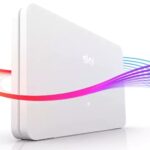
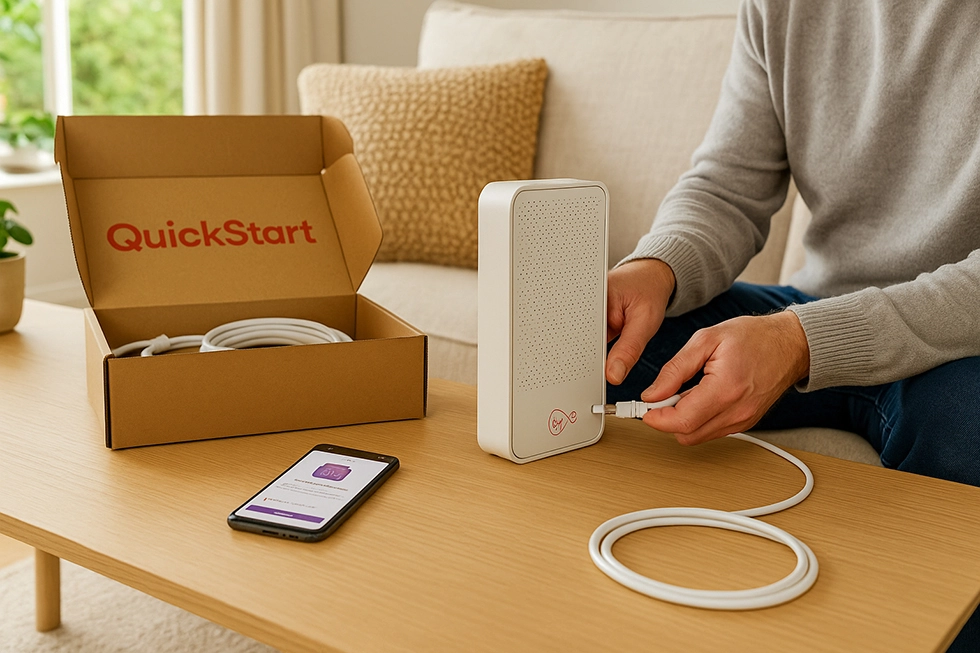
Sky Stream is a compact plug-in box that connects to any compatible TV. It does the same job as Glass on the TV side, but without needing to buy a new screen. It pulls in Sky channels and apps using your broadband connection, so there is no dish on the wall and no satellite installation.
If you want to see how Sky’s internet performance compares with other providers before you rely on streaming hardware, it is worth reading a full review of Sky broadband so you know what to expect from download speeds and Wi-Fi coverage.
Minimum broadband speeds for Glass and Stream
Because Glass and Stream rely entirely on your broadband connection, Sky sets minimum speed requirements.
Sky currently advises that you need at least a 25Mbps download speed for a single Glass TV or Stream puck. If you want to watch in 4K with HDR (and Dolby Atmos where available), or use several devices at once, Sky raises the guidance to 30Mbps or more.
That means some households may need to upgrade their broadband plan before moving away from satellite. For example, if you are still on an older copper-based service, a move to fibre could be necessary. If you are weighing that up, it helps to look at the latest Sky broadband deals and offers so you can see the price difference between fibre packages.
How Sky Q behaves differently to the streaming boxes
The hardware and the way you watch TV are not the only differences. The way recording works also changes when you move away from Sky Q.
Sky Q uses a local hard drive inside the box. When you press record, the programme is stored on the device in your home. As long as you have the recording and your box works, you can play it back from the hard drive, even if the programme later disappears from catch-up apps.
Sky Glass and Sky Stream take a different approach. Instead of recording to a hard drive, they use a cloud-based system. When you save a programme, the box usually creates a link to an on-demand version. Playback depends on Sky and its partners holding those rights and keeping the show available in the cloud. If a series expires from catch-up, the saved version may disappear too.
Some households like the convenience of cloud storage and the way it integrates with apps. Others prefer the more traditional hard drive behaviour of Sky Q. This is one of the key reasons why a group of existing customers still favour the satellite box.
Can you still order Sky Q at all?
Despite the strong push towards streaming, Sky Q is not completely off the table.
The change is specific to online ordering. New customers who call Sky or visit a retail store can still ask for Sky Q. Availability may vary, and agents are likely to bring up Sky Stream and Sky Glass as the first options, but the satellite product has not been withdrawn entirely at the time of writing.
Existing Sky Q users can continue to use their current box and dish as normal. There has been no announcement about a shutdown date for the platform in the UK. However, the way Sky structures its online sales journey makes it clear that Sky expects new customers to gravitate towards its streaming products rather than legacy satellite hardware.
Sky’s steady shift away from satellite
This move is not happening in isolation.
Over the past few years, Sky has been steadily nudging customers towards IP-based TV. Glass and Stream are heavily promoted in advertising, and Sky’s marketing focuses on benefits like no dish, fast setup, and integration of different apps in one place.
The broader industry is going in the same direction. Cable and satellite platforms are gradually giving way to devices that stream over broadband, whether that is through a provider box, a smart TV, or a dedicated app. Sky is clearly aligning itself with that trend, while keeping satellite running in the background for now.
For many homes, the decision will come down to how confident they are in their broadband. If you are already using a speedy fibre connection and your Wi-Fi is reliable across your rooms, a streaming box or integrated TV is easier to justify. If not, you may prefer to stay on Sky Q until your broadband setup catches up.
What this means for Sky broadband customers
For households that already use Sky for both TV and internet, this shift has some practical implications.
If you upgrade from Sky Q to Sky Glass or Stream and keep Sky Broadband at the same time, all of your TV traffic will move onto your internet connection. That puts more pressure on your router, your Wi-Fi coverage and your actual download speeds in busy times.
If you want to check how Sky’s fibre plans stand up before leaning on them for live TV, streaming, gaming and home working, it is worth reading an independent Sky broadband review to see how the service performs against rivals on speed, reliability and customer support.
You might also want to compare combined TV and broadband costs. A detailed guide to Sky TV packages and bundles can help you understand how much extra you pay for channels on top of your broadband subscription, and whether a move to streaming changes the price you pay compared to a Sky Q bundle.
What this means for people comparing TV providers
If you are not currently with Sky, the change to online sales still matters.
First, it removes Sky Q as a straightforward online option for people who want satellite TV. You can still get it, but you need to phone or visit a store. In contrast, the streaming products are front and centre on the website, and that is what many new customers will choose.
Second, it highlights how important broadband has become to TV choices. Instead of picking a dish or cable first and worrying about broadband later, many homes now ask whether their internet is fast and reliable enough for TV before they choose any provider.
When you compare options, it is sensible to look at:
- How fast your current broadband connection is, and whether it meets Sky’s minimum speeds.
- Whether your current provider’s TV offering (if there is one) can use the line you already have.
- How Sky’s streaming products compare with rival boxes and apps from other broadband providers.
If you are weighing up a switch, the best place to start is often with internet pricing. Use a <a href=”#”>comparison of the latest Sky broadband deals</a> to see what you would pay for a fibre connection that can support streaming, then layer TV on top.
Thinking about Sky Stream or Glass? Points to weigh up
If this change has pushed you into considering Sky’s streaming hardware, there are a few key questions to ask before you click through.
First, check your broadband speed and connection type. If you already use fibre and see download speeds well above Sky’s minimum guidance, you are in a strong position to move to streaming TV without worrying about congestion.
Second, look at how you watch TV in your home.
- If you like to stack up recordings and keep them indefinitely, Sky Q’s hard drive approach may still appeal more than cloud storage.
- If you prefer to dip into box sets, catch-up and apps, then Glass or Stream may be more convenient, because they bring everything together in one menu.
Third, consider the total cost. A Sky Glass TV is new hardware, spread over monthly payments. A Stream puck is cheaper but still adds a monthly rental fee and channel pack charges. Comparing those costs against other providers is easier if you have a clear picture of your existing bills, plus a view of the latest Sky TV and broadband bundle offers on the market.
Outlook: streaming first, satellite still hanging on
Sky’s decision to stop selling Sky Q online is another step towards a streaming-first future.
For new customers navigating the website, the message is simple: if you want Sky TV, you are steered towards Sky Glass or Sky Stream, with no satellite option on the main sales pages. Sky Q remains available but hidden behind phone calls and store visits.
For existing Sky Q users, nothing changes day to day, but the direction is clear. Over time, more customers are likely to move onto broadband-based TV, especially as fibre availability and speeds improve across the UK.
If you are planning your next upgrade, it is worth treating this as an opportunity to review both sides of the service: TV and internet. Reading a comprehensive Sky broadband review, comparing Sky TV package options and checking the best current Sky broadband deals will give you a clearer view of whether to stay with satellite for now or jump into Sky’s streaming future.