Virgin Media M250 Broadband Review
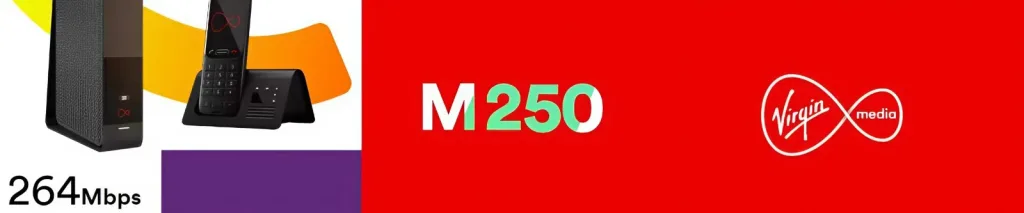
Virgin Media M250 offers an average download speed of 264Mbps and an average upload speed of 25Mbps.
It’s an ultrafast broadband plan that’s suitable for typical UK homes with multiple people streaming, downloading, and staying online across several devices at the same time.
Virgin Media M250 details
- Average download speed: 264Mbps
- Estimated download speed range: 268–274Mbps
- How many devices: 1 – 6 devices
- Minimum download speed: 132Mbps
- Average upload speed: 25Mbps
- Estimated upload speed: 26Mbps
- Latency range: 10–20ms
- Network technology: DOCSIS 3.1 cable / XGS-PON full fibre
- Contract length: 24 months
- Router: Virgin Media Hub 3 / Hub 4 / Hub 5
- WiFi Max: Available as add-on. Included free with selected packages.
- Price range: £25–£38 per month
- Offers: £250 switching credit, no price rise in 2026
Today’s Offers
| Plan | Speed | Price | |
|---|---|---|---|
 M250 Fibre M250 Fibre 24 month contract |
264Mb avg |
£25.99 / month £311.88 / year More details |
|
| Free Setup. | |||
|
M250 + Phone 24 month contract |
264Mb avg |
£33.99 / month £407.88 / year More details |
|
| Free Setup. Includes Anytime calls to UK landline and mobiles. | |||
|
M250 + Flex TV 24 month contract |
264Mb avg |
£30.99 / month £371.88 / year More details |
|
| Free Setup. Flex TV includes Stream box, 150+ TV channels and 1 month rolling contract. |
What is Virgin Media M250 good for?
At 264Mbps, you can download large files such as console games, system updates, and 4K movies in minutes rather than hours. It also offers additional bandwidth for busy homes with simultaneous streaming and downloads.
Estimated download times at 264Mbps:
- 10GB file: 5 minutes
- 25GB 4K film: 13 minutes
- 50GB game update: 26 minutes
- 100MB music album: 3 seconds
The 25Mbps upload speed is quite sufficient for HD video calls, large email attachments, and cloud backups. However, if you're regularly uploading big video files, backing up across multiple devices, or working with heavy file transfers, a full-fibre plan with a faster upload speed would feel quicker.
Virgin Media download time comparison
Estimated upload times at 25Mbps:
- 1GB file: 5 minutes
- 2GB folder of photos: 11 minutes
- 5GB video file: 27 minutes
Virgin Media upload time comparison
Latency
Latency is the time delay between your device making a request and getting a response. On Virgin Media M250, it generally ranges from 10 to 20 milliseconds — which is suitable for gaming, video calls, and online voice chat. Connecting via Ethernet instead of Wi-Fi can help keep response times steady by avoiding the delays that come with wireless interference or poor signal strength.
Virgin Media M250 broadband deals
Virgin Media offers the M250 plan as broadband-only or as part of bundles with home phone, TV, or Volt (with an O2 SIM).
Here's what’s available:
Virgin Media M250 broadband only
This is the broadband-only option, providing just internet connection without phone or TV.
What’s included:
- M250 broadband
- Virgin Media Hub router (model varies)
- Access to Virgin Media account and app tools
- WiFi Max available as an add-on
Virgin Media M250 broadband + phone
This broadband + phone bundle adds a home phone service that works over the broadband connection.
What’s included:
- M250 broadband
- Home phone
- Anytime Chatter (unlimited anytime calls to UK landlines and mobiles)
Virgin Media M250 broadband + TV
Virgin Media offers TV bundles in two styles: Stream (Flex) and full TV bundles with Virgin TV 360.
What’s included
- 200+ channels (on full TV bundles)
- Virgin TV 360 box or Stream box
- Access to BBC iPlayer, ITVX, Channel 4, U, YouTube and others
- Netflix Standard with ads on selected bundles
- Optional add-ons: Sky Sports HD, Sky Cinema HD, TNT Sports, kids’ packs
Volt bundles (M250 + O2 SIM)
If your household also has an O2 Pay Monthly SIM, Volt benefits can apply when bundled with M250.
What Volt can include (depending on eligibility and bundle):
- Speed boost to the next available level (M250 boosts to M350 (362Mbps) )
- WiFi Max included
- Double data on eligible O2 mobile plans
- Extra O2 roaming benefits
Virgin Media Hub router and WiFi Max
The router you get with Virgin Media M250 depends on availability and the bundle you choose. The three most common models are Hub 3, Hub 4, and Hub 5. All of them support M250 speeds over Ethernet, but the Wi-Fi performance varies quite a bit depending on the model and the layout of your home.
Hub 5 (Wi-Fi 6)
Hub 5 is the newest model and offers the best performance for Wi-Fi. It's well suited to homes with lots of connected devices, newer smartphones, smart TVs, and laptops that support Wi-Fi 6.
- Wi-Fi 6
- 7 antennae
- 2.4GHz: 3x3 802.11ax
- 5GHz: 4x4 802.11ax
- 1x 2.5Gbps + 3x 1Gbps Ethernet ports
- DOCSIS 3.1 connection
- Guest network available
It offers faster speeds and better coverage than the older models, especially in larger or busier households. If you're placing the router far from key rooms, Hub 5 is the one most likely to keep speeds up throughout the home.
Hub 4 (Wi-Fi 5)
You’ll get full M250 speeds on Ethernet with Hub 4. but Wi-Fi performance depends more on placement — especially in homes with thick walls or upstairs rooms.
- Wi-Fi 5
- 7 antennae
- 2.4GHz: 3x3 802.11n
- 5GHz: 4x4 802.11ac
- 4x 1Gbps Ethernet ports
- DOCSIS 3.1 connection
- Guest network available
It’s still a capable router for mid-size homes, but not as future-proof as the Hub 5 — especially if you’ve got newer devices that support Wi-Fi 6.
Hub 3 (Wi-Fi 5)
Hub 3 is the oldest model still offered. It can still deliver full M250 speeds over Ethernet, but Wi-Fi is more limited, especially in larger homes or where many devices are connected at once.
- Wi-Fi 5
- 5 antennae
- 2.4GHz: 2x2 802.11n
- 5GHz: 3x3 802.11ac
- 4x 1Gbps Ethernet ports
- DOCSIS 3.0 connection
- Guest network available
If you're given a Hub 3 and rely on strong Wi-Fi across the house, it's worth considering modem mode with your own mesh system or upgrading to WiFi Max.
WiFi Max (mesh pods + speed guarantee)
WiFi Max is Virgin Media’s mesh Wi-Fi add-on, designed to boost signal strength and reduce blackspots around the home.
- Works using plug-in mesh pods
- Can be used with Hub 3, 4 or 5
- Up to 3 pods supplied if needed (subject to terms)
- Available as a paid add-on, or included with Volt and gigabit bundles
- Compatible with modem mode if you prefer using your own router
WiFi Max is especially useful in larger homes or homes with thick walls, where standard router placement doesn’t give strong enough coverage.h mesh pods and includes a guarantee: at least 30Mbps in every room, or you’ll get a £100 bill credit. Virgin provides up to three pods if required. Included with some bundles like Volt and gigabit packages, or available as a paid add-on.
Is Virgin Media M250 any good?
Virgin Media M250 is a mid range, fibre broadband plan that suits a wide range of households, especially those that need fast downloads and flexible bundles. It offers several advantages, though there are a few drawbacks to be aware of.
What’s good
M250 is a good all-round option for typical homes with moderate to heavy broadband use.
- 264Mbps average download speed is ideal for homes with multiple people streaming, gaming, downloading, and video calling at the same time
- Available in a wide range of bundle types — broadband-only, broadband + phone (with Anytime Chatter), or broadband + TV
- Volt bundles can upgrade your speed to M350 speed, and include extras like WiFi Max, double mobile data, and better O2 roaming
- Virgin Media is available in more parts of the UK than many smaller full-fibre networks like hyperoptic.
- If Wi-Fi coverage is an issue, it can be improved with WiFi Max pods or by using your own router in modem mode.
Where it lacks
While download speeds are impressive, some other aspects don’t match the same level of performance.
- Upload speed is limited to 25Mbps, which is much lower than the download speed — noticeable if you work with large files or upload frequently
- Latency is reasonable, but full-fibre providers often deliver slightly lower ping times for gaming and live video
- Wi-Fi performance depends on the hub — Hub 5 gives the best results, but older models like Hub 3 are more likely to fall short in coverage.
- Customer service feedback is mixed, with ongoing complaints about billing issues, fault resolution, and cancellation processes
- Most M250 plans come with a 24 month contract, and Virgin increases the price every year — even while you're still in contract.
Verdict
Virgin Media M250 is ideal for households that need faster download speeds for regular 4K streaming, and large game or software updates. It's a particularly good option if you want to bundle broadband with TV or phone, or take advantage of Volt extras.
However, if your priorities are faster upload speeds, lower latency, or shorter contract terms, a full-fibre provider might be a better choice — depending on what’s available in your area.
Alternatives to Virgin Media M250
If you're looking at similar speeds, these deals from other providers are worth considering. Availability depends on your location, and pricing varies, so it's a good idea to compare them when searching for the best value in this speed range.
- BT Full Fibre 300
- Sky Full Fibre 300
- Vodafone Full Fibre 150
- Plusnet Full Fibre 300
- Hyperoptic Fibre 150
- Community Fibre 300
FAQ
What's the difference between M125 and M250?
The main difference is download speed. M125 is a mid-range option for lighter use, while M250 is an ultrafast plan designed for busier homes.
With M250’s average 264Mbps download speed, large game downloads, system updates and 4K films finish much faster, and you get additional bandwidth when several people stream and download at the same time.
Upload speed is also higher on M250 than M125, but it still remains far lower than the download speed.
M250 is not the right speed for me. What should I do?
If you want to stay with Virgin Media but need more speed, upgrading to M350 is the most direct step up and it is often available at the same addresses as M250.
If you want to compare with other providers, these slightly faster options can also be worth checking (availability depends on your address):
- BT Full Fibre 500
- Sky Full Fibre 500
These full-fibre options can also offer faster upload speeds than cable services, depending on the provider and package.
Can I get Flex TV with M250?
Yes. Virgin Media offers M250 with Flex (also called Stream). It uses a small Stream box that brings live TV and streaming apps together on your TV.
Flex is designed for people who want broadband plus streaming without taking a large channel bundle. You can add and remove subscriptions and packs more easily than on traditional TV bundles, and the Stream box keeps everything in one place.
Is Virgin Media M250 suitable for gaming?
Yes, for most homes it is suitable for gaming. Virgin Media latency typically falls in the 10–20ms range, which is low enough for online gaming, party chat and live voice comms.
For the most consistent performance, use Ethernet where possible and keep the Hub in an open, central location to reduce Wi-Fi delay.
Full-fibre providers can sometimes deliver slightly lower latency, but M250 is still suitable for most online games.
Why can M250 struggle when lots of people and devices are online at the same time?
M250 has plenty of download bandwidth for typical use, but slowdowns can happen when demand spikes or Wi-Fi becomes congested.
As a guide, M250 can usually support:
- 10–15 connected devices in total (phones, TVs, tablets, smart speakers, cameras)
- 3–6 active users at the same time, depending on what they’re doing
The biggest issues tend to come from Wi-Fi rather than the broadband speed itself, especially when several people stream 4K video, someone downloads a large game update, or devices are far from the router.
If this happens, WiFi Max pods or modem mode with your own mesh system can improve coverage and consistency.
Is installation and setup for Virgin Media M250 hassle free?
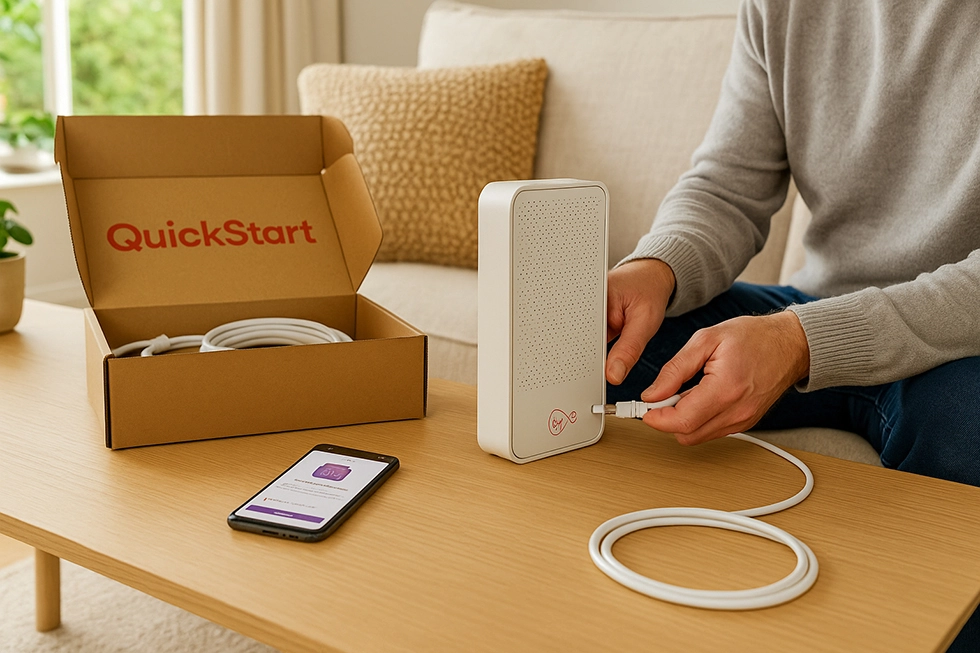
It usually is. Virgin Media often provides a QuickStart self-install kit where you connect the Hub, activate the service, and get online without an engineer visit.
Setup is typically simple: connect the Hub to the Virgin wall socket, power it on, and complete activation through the app or a browser.
An engineer visit may be needed if your premises needs a new connection point, the socket is inactive, or there is a fault that needs work on the line.
How to get M350 in my area?
The first step is an address-level availability check. If M250 is available at your address, M350 is often available too, but deals can vary by location.
Some households also qualify for a Volt speed boost with an eligible O2 Pay Monthly SIM, which commonly boosts M250 to M350.
Is Virgin Media’s customer service any good?
Feedback is mixed. Some customers report fast installs and quick fault fixes, while others report billing issues, slower fault resolution, or problems during cancellations and package changes.
The experience can also vary by area, particularly when local faults affect a street or building.
What calls does Anytime Chatter include?
Anytime Chatter is Virgin Media’s inclusive calling add-on for its home phone service. It typically includes calls to UK landlines and UK mobiles at any time, subject to Virgin Media’s calling terms and fair use rules.
International calls, premium-rate numbers, and some non-geographic numbers are usually excluded and billed separately.
What are the free extras that Virgin Media offer?
Virgin Media may include a few extras depending on the package and promotion you take, so it is worth checking the order summary for your exact deal.
- Access to Virgin Media public Wi-Fi hotspots, where available
- Online security or protection tools included with some packages, plus paid upgrades on others
- Account and app features for managing hub settings, Wi-Fi passwords and connected devices