Virgin Media Gig1 Fibre Broadband Review
Virgin Media Gig1 is fast. Very fast. Its standard service offers an average download speed of 1,130Mbps and an average upload speed of 104Mbps, giving busy homes plenty of bandwidth for game downloads, large file transfers and several data-heavy activities at once.
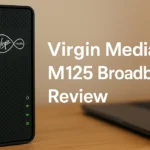
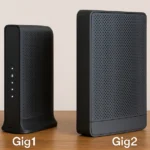
There is an important difference from one home to the next. Gig1 can reach your home through Virgin Media’s DOCSIS 3.1 cable network or over an XGS-PON full-fibre connection. Cable customers get the Hub 5, while XGS-PON customers get the Hub 5x. Both use Wi-Fi 6, although the Ethernet connections and modem-mode options are not identical.
There are no data limits and you do not need to take a home phone. WiFi Max is included for eligible Gig1 customers, too. This gives you a minimum Wi-Fi download speed of 30Mbps in every eligible room, with up to three WiFi Pods if needed. If the guarantee still cannot be met, Virgin Media applies a £100 bill credit.
Exclusive offer
View the current Gig1 monthly charge, scheduled price increases, contract details and any switching credit in the live deals table below.
| Plan | Speed | Price | |
|---|---|---|---|
 Gig1 Fibre Gig1 Fibre24 month contract |
1130Mb avg |
£23.99 / month £307.88 / year More details |
|
| FTTP. Free Setup. | |||
|
Gig1 + Phone 24 month contract |
1130Mb avg |
£39.99 / month £479.88 / year More details |
|
| Free Setup. Includes Anytime calls to UK landline and mobiles. |
Virgin Media Gig1 contract calculator
Enter the starting monthly charge from the deals table to see the cost across the full contract. The calculator includes each scheduled April increase, the setup charge, monthly extras and discounts, then subtracts any reward.
Estimate only. The personalised contract summary and bills determine the exact amount.
Virgin Media Gig1 at a glance
| Average download speed | 1,130Mbps |
|---|---|
| Average upload speed | 104Mbps on the standard service |
| Optional upload speed | 1,130Mbps in eligible XGS-PON areas with the upload-speed add-on |
| Current monthly charge | See the live deals table above |
| Current reward | See the live deals table above |
| Minimum guaranteed download speed | Normally 565Mbps; confirm the figure in your personal contract summary |
| Network connection | DOCSIS 3.1 cable or XGS-PON full fibre |
| Included router | Hub 5 on cable or Hub 5x on XGS-PON |
| Wi-Fi standard | Wi-Fi 6 |
| WiFi Max | Included with eligible Gig1 service |
| Contract length | Usually 24 months |
| Annual increase | £4 added to the monthly charge each April |
| Data usage | Unlimited, with no traffic management |
| Home phone | Not required; availability of the optional phone service depends on the area |
More than 18.6 million UK premises can order Gig1, giving it much wider availability than many smaller full-fibre providers. That does not mean every customer gets the same network technology. The postcode check confirms availability, while the order details tell you which connection and router will be installed.
One point worth remembering is that the average speed is measured to the Virgin Media Hub. The result on a phone, laptop or television will depend on its Wi-Fi specification, its distance from the router, walls, interference and how many other devices are active. So, while Gig1 offers 1,130Mbps to the Hub, it does not promise that speed over Wi-Fi to every device.
Gig1 pros and cons
Pros
- Fast average download speed of 1,130Mbps
- Average 104Mbps upload speed on the standard service
- Available more widely than many smaller full-fibre providers
- Wi-Fi 6 through the Hub 5 or Hub 5x
- WiFi Max included with eligible Gig1 service
- Optional upload speed equal to the download speed in eligible XGS-PON areas
- Choice of broadband-only, phone, TV and Volt packages
Cons
- Not a full-fibre connection at every home
- Standard upload speed is much slower than the download speed
- No officially available modem mode on the Hub 5x
- One wired device needs multi-gigabit Ethernet to receive more than 1Gbps
- Monthly charge rises each April
- Most deals come with a 24-month contract
- A considerably higher monthly charge can apply after the contract ends
Who Virgin Media Gig1 is suitable for
Gig1 earns its keep when several people use a lot of bandwidth at the same time. Someone can be downloading a new game while the rest of the household watches 4K television, joins video calls or transfers files, without one activity taking most of the connection for itself.
It is particularly suitable for:
- larger households with several active internet users
- frequent downloads of games, software and high-resolution video
- several simultaneous 4K streams
- home workers sharing the connection with other heavy users
- cloud backups and large file transfers
- households that want gigabit broadband but cannot order from a smaller full-fibre provider
It is harder to justify if your household mainly browses the web, uses one or two televisions for streaming and makes ordinary video calls. Virgin Media M500 already offers an average 516Mbps download speed and a 52Mbps upload speed, which gives many typical households more than enough bandwidth.
Streaming alone is not a reason to buy gigabit broadband. Even a 4K programme uses only a small part of Gig1’s capacity. The extra speed becomes useful when several bandwidth-heavy activities take place together, or when you want large downloads to finish sooner.
Gaming needs the same kind of distinction. Gig1 cuts the waiting time for a new game or a major update, but the game itself uses very little bandwidth. Once you start playing, latency, jitter, Wi-Fi quality and the route to the server matter more than the package’s download speed.
Virgin Media Hub 5 and Hub 5x
Gig1 comes with one of two Wi-Fi 6 routers. DOCSIS 3.1 cable customers receive the Hub 5, while customers on Virgin Media’s XGS-PON full-fibre network receive the Hub 5x.
This is decided by the network serving your home, not by personal preference. You cannot normally ask for a Hub 5 on an XGS-PON connection or a Hub 5x on the cable network.
| Feature | Hub 5 | Hub 5x |
|---|---|---|
| Virgin Media network | DOCSIS 3.1 cable | XGS-PON full fibre |
| Wi-Fi | Wi-Fi 6, dual band | Wi-Fi 6, dual band |
| Internal antennas | Seven | Seven |
| Fastest Ethernet port | One 2.5Gbps port | One 10Gbps port |
| Other Ethernet ports | Three 1Gbps ports | Three 1Gbps ports |
| Guest Wi-Fi | Yes | Yes |
| WiFi Pod compatibility | Yes | Yes |
| Official modem mode | Yes | No |
Both routers can distribute Gig1 across a busy home, but one device will only be as fast as its own network hardware. To pass 1Gbps on a computer, you need a multi-gigabit Ethernet adapter and a connection to the router’s fastest port. Anything plugged into a standard 1Gbps port will stay below Gig1’s complete average speed.
Wireless results are less predictable. A recent Wi-Fi 6 device close to the router can deliver an impressive result, but move it into a bedroom behind several walls and the speed can drop considerably. The device itself and the layout of the home both count.
Using a separate router with Gig1
The difference between the two Hubs becomes particularly important if you prefer to use your own router. The Hub 5 has modem mode, which switches off its routing and Wi-Fi functions and lets separate equipment manage the home network.
There is a consequence. Modem mode also disables Intelligent WiFi, WiFi Pod compatibility and several controls in the Connect app.
The Hub 5x does not currently offer official modem mode. You can plug another router into it, but the Hub 5x will continue routing the connection. Unless the second device is configured carefully, this can cause double NAT and complicate port forwarding, remote access or some gaming setups.
Advanced users therefore face an unusual choice. The full-fibre Hub 5x has the faster Ethernet port, but the cable Hub 5 gives you more freedom to use a separate router, mesh system or custom firewall.
WiFi Max and Virgin Media Pods
WiFi Max is included with eligible Gig1 service, but its guarantee is easy to misunderstand. It promises a Wi-Fi download speed of at least 30Mbps in every eligible room. It does not promise the complete 1,130Mbps Gig1 speed throughout your home.
You must wait until the broadband service is active before ordering WiFi Max or requesting a Pod. If a home scan finds a room below 30Mbps, Virgin Media can send up to three Pods. These connect with the Hub to form a mesh and carry the Wi-Fi signal into weaker parts of the home.
If all three Pods have been installed and an eligible room still receives less than 30Mbps, Virgin Media applies a one-off £100 bill credit. Network outages and broadband faults are excluded, and further availability restrictions apply in some network expansion areas.
Pods can improve a weak Wi-Fi signal, though you still need to place them carefully. Put one inside the blackspot and it may receive too little signal from the Hub to relay effectively. A position between the Hub and the weak room is usually better.
Own-router users should take note as well. Virgin Media Pods and Intelligent WiFi stop operating when a Hub 5 is switched to modem mode.
Virgin Media Gig1 performance
Download performance
Speed is the main reason to buy Gig1. Its average 1,130Mbps download speed gives you more bandwidth than the standard 900Mbps plans offered by many national providers, and the gain is easiest to see when downloading large files.
Modern console and PC games can take up a huge amount of storage. So can operating-system files and high-resolution video projects. Gig1 can cut a long wait to a matter of minutes.
The times below assume the connection is running at its full speed. Server limits, Wi-Fi, network overheads and other devices using the broadband will add to them.
| File size | Gig1 download time |
|---|---|
| 1GB | 8 seconds |
| 10GB | 1 minute 11 seconds |
| 50GB | 5 minutes 54 seconds |
| 100GB | 11 minutes 48 seconds |
Do not expect one device to receive the entire connection automatically. Standard Gigabit Ethernet is limited to 1Gbps before network overhead, and many phones, tablets, televisions and consoles have slower Wi-Fi or Ethernet hardware.
That does not waste the rest of the connection. If a console is downloading through a 1Gb Ethernet port, the spare Gig1 bandwidth remains available for other people and devices. This is where the package is particularly useful in a multi-device home.
Upload performance
Standard Gig1 offers an average upload speed of 104Mbps. That is twice the 52Mbps offered with M500 and gives you enough capacity for several video calls, cloud storage transfers and security cameras at the same time.
The imbalance between download and upload speeds matters more if you send very large files every day. A creator or home worker uploading 100GB of video, design files or backups will wait for more than two hours, even when the standard connection is delivering its full upload speed.
There is a faster option for eligible XGS-PON customers. The upload-speed add-on raises the average upload speed to 1,130Mbps, the same as the download speed. Virgin Media cannot offer this add-on over its DOCSIS 3.1 cable network.
| File size | Standard 104Mbps upload | 1,130Mbps upload add-on |
|---|---|---|
| 1GB | 1 minute 17 seconds | 8 seconds |
| 10GB | 12 minutes 49 seconds | 1 minute 11 seconds |
| 50GB | 1 hour 4 minutes | 5 minutes 54 seconds |
| 100GB | 2 hours 8 minutes | 11 minutes 48 seconds |
Again, these are best-case figures. Encryption, cloud-service limits, network overheads and other internet use will extend the transfer time.
Use the download and upload time calculator below to enter a file size and see the estimated completion time. Adjust the efficiency setting to allow for network overheads and other factors that stop a transfer using the full connection speed.
Virgin Media Gig1 download and upload calculator
Enter a file size to see the estimated download or upload time on standard Gig1 or an eligible XGS-PON connection with the upload-speed add-on. Adjust the efficiency setting to allow for network overheads and other factors that stop a transfer using the full connection speed.
The estimate uses decimal file sizes. Server capacity, Wi-Fi, other internet activity and protocol overhead can increase the time. Select custom measured speed to use a speed-test result.
Latency and gaming
Gig1 is excellent for downloading games. That does not automatically make it the fastest connection once you are playing. Online games use little bandwidth compared with a large download or a 4K stream, and a 1,130Mbps package does not guarantee a lower ping.
The type of connection can have an effect. Virgin Media’s DOCSIS cable network can produce higher latency and more jitter than FTTP, especially when the local cable segment is busy. XGS-PON removes the coaxial part of the connection and can deliver lower, more consistent latency. Routing and conditions inside the home still play their part.
There are several other variables: the game server, your distance from it, local congestion, router load and Wi-Fi interference. This is why a single provider latency table tells only part of the story. Two Gig1 customers in different parts of the country can get different results to the same server.
Ethernet gives a console or PC the most consistent connection. If you cannot run a cable, use 5GHz Wi-Fi close to the router or connect through a correctly placed mesh point. Gig1’s clearest gaming advantage remains its download speed. Competitive players who care most about ping should compare the FTTP services available locally.
Virgin Media customer service
Virgin Media’s complaints record is much better than it used to be. The latest available quarter put it level with the industry average at six complaints per 100,000 customers. The previous quarter’s figure was five, so this is a respectable result rather than a leading one.
There are several ways to manage the service or ask for help. The My Virgin Media app takes care of bills and account details, while the Connect app includes broadband checks, Wi-Fi scans and Pod management on compatible equipment. Faults and billing issues can also be raised by telephone, online chat or through the customer community.
Cancellation is still the weak point. In July 2026, Virgin Media received a £28 million regulatory fine following an investigation into millions of cancellation calls made between January 2022 and September 2024. The calls were likely to have been delayed or obstructed.
One Touch Switch means many broadband customers no longer need to contact Virgin Media to leave. The new provider arranges the switch instead. Anyone cancelling TV, mobile or other additional services should check those contracts separately.
The network itself has a better recent record than Virgin Media’s customer-service reputation might suggest. It received a national reliability award in 2026 and reported average uptime of 99.88% between January and June 2026. These are separate issues, of course. Reliable broadband does not prevent a poor experience with billing, cancellation or fault resolution.
Gig1 packages, contracts and value for money
Gig1 package options
You can order Gig1 as broadband only, with no need to take a phone line or TV service. An eligible digital home phone, Flex or a larger Virgin TV package can also be added, although phone availability differs in some of the newer network areas.
Volt combines eligible Virgin Media broadband with an O2 Pay Monthly mobile plan. The broadband and mobile services have separate contracts and separate bills. As Gig1 already includes WiFi Max, the main reasons to consider Volt are the O2 mobile allowance, roaming benefits, Priority access and the combined cost of both services.
Entertainment services are included with some Gig1 packages. Look at the television channels, streaming plan, phone calls and mobile allowance before comparing a bundle with broadband-only service. The monthly charge on its own does not tell you whether the extras are useful to your household.
Contract length and annual increases
Most Gig1 deals for new customers come with a 24-month contract. On current contracts, £4 is added to the monthly charge each April. The scheduled charges appear in the deals table and are included in the contract cost calculator.
If you leave during the minimum term, you will normally have to pay an early disconnection fee. The amount depends on the services in your package, the time left on the contract and the discount you received.
Eligible online and telephone orders have a 14-day cooling-off period. You can still be charged for service already used, and failing to return the equipment can lead to an additional charge.
Once the minimum term ends, the monthly charge normally moves to a much more expensive standard price. Put a reminder in your calendar before that date. A renewal or switch can save a considerable amount compared with simply allowing the service to continue.
Installation and switching
QuickStart self-installation is available at serviceable premises that have previously had Virgin Media cable broadband. You receive a kit to connect to the existing Virgin wall socket. If you qualify for QuickStart but choose an engineer installation, an installation charge can apply.
There is no QuickStart option for Virgin Media full fibre. XGS-PON needs an engineer to bring the fibre into the home and install the equipment used by the Hub 5x. If the work involves new cabling or drilling, tenants may need permission from their landlord or building manager.
One Touch Switch lets your new broadband provider arrange the transfer and cancel the old broadband service. This lowers the risk of paying two broadband providers after the agreed switch date. Separately contracted TV, mobile and other services still need your attention.
Moving home during the minimum term needs some planning, too. Virgin Media can move the remaining service if your new home has a suitable connection. If the new home is in the UK but outside the Virgin Media network, the provider can credit back the early disconnection fee once you have followed its moving-home process and supplied valid evidence of the new premises.
Gig1 value for money
Gig1 offers excellent value when there is only a small cost difference between it and M500. You get more than twice the average download speed, twice the upload speed and WiFi Max as part of the package. For a larger household that regularly transfers big files, that can justify the extra cost.
M500 is still the better-value option for plenty of homes. Its average 516Mbps download speed leaves enough bandwidth for several people to stream, work from home and play games. Moving to Gig1 will not fix weak Wi-Fi, a slow device, a connection fault or high latency to a distant server.
Do not judge the deal from its opening monthly charge alone. The contract calculator adds the April increases and setup charges, then takes away any reward. Use the resulting contract total and effective monthly cost, and remember to look at the post-contract charge as well.
Local competition matters. If Openreach is your only FTTP alternative, Gig1 offers a faster average download speed than many 900Mbps packages. In areas served by Hyperoptic, Community Fibre, YouFibre, Gigaclear or a CityFibre provider, you may be able to order a gigabit connection with an upload speed equal to the download speed. That can be more useful for frequent uploads.
Is Virgin Media Gig1 any good?
Yes. Gig1 is an excellent gigabit package for larger households, frequent downloaders and anyone who needs a lot of bandwidth across several devices. The average 1,130Mbps download speed is exceptionally fast, the standard 104Mbps upload speed is useful, and you also get a Wi-Fi 6 router and WiFi Max. Few smaller full-fibre networks can come close to its availability.
There are clear drawbacks. Most customers do not get an upload speed equal to the download speed, and many homes still receive Gig1 through DOCSIS cable rather than full fibre. One device also needs multi-gigabit hardware to use the complete 1,130Mbps connection. If your home gets the Hub 5x, you lose the official modem mode offered by the cable Hub 5.
Gig1 is worth choosing if large downloads and heavy simultaneous use are part of daily life, particularly when its total contract cost is close to M500. Choose M500 if your household rarely comes close to using 516Mbps. If you regularly transfer huge files in both directions, check whether you can get the Gig1 upload-speed add-on or a local symmetrical FTTP service.
Virgin Media Gig1 alternatives
Broadband availability changes from one home to the next, so use the postcode checker before making a final comparison. These are the main alternatives to Gig1:
| Package | Average speeds | Main reason to consider it |
|---|---|---|
| Virgin Media M500 | 516Mbps download / 52Mbps upload | Lower total cost if your household does not need gigabit downloads |
| Virgin Media Gig2 | 2,000Mbps download / 200Mbps upload on the standard service | Faster downloads in eligible XGS-PON areas |
| BT Full Fibre 900 | 900Mbps download / 110Mbps upload | Openreach FTTP with a higher minimum download guarantee |
| Vodafone Full Fibre 910 | 910Mbps download / 105Mbps upload on Openreach; 910Mbps download / 910Mbps upload on CityFibre | Wi-Fi 7 upgrades and symmetrical speeds in eligible areas |
| Sky Full Fibre Gigafast | 900Mbps download / 90Mbps upload | Suitable for customers combining Sky broadband and television |
| Hyperoptic 1Gb | 900Mbps download / 900Mbps upload | Symmetrical full fibre and flexible contract options in covered buildings |
| Community Fibre 1Gb | 920Mbps download / 920Mbps upload | Symmetrical FTTP in London and selected surrounding areas |
| YouFibre You 1000 | 900Mbps download / 900Mbps upload | Symmetrical FTTP, Wi-Fi 7 and fixed-price contract options |
| Gigaclear 900 | 900Mbps download / 900Mbps upload | Symmetrical rural full fibre with Wi-Fi 7 mesh equipment |
Of the standard 900Mbps and 1Gbps packages in this table, Gig1 has the fastest average download speed. Hyperoptic, Community Fibre, YouFibre, Gigaclear and Vodafone in eligible CityFibre areas go much faster in the other direction, without needing Virgin Media’s XGS-PON upload add-on.
Availability is the catch. Gig1 reaches more than 18.6 million premises, whereas many providers offering the same download and upload speeds serve particular cities, developments or regional network areas.
Virgin Media Gig1 FAQs
Is Virgin Media Gig1 full fibre or a cable connection at my address?
It can be either. Established Virgin Media areas commonly use DOCSIS 3.1 cable and receive the Hub 5. Newer full-fibre areas use XGS-PON and receive the Hub 5x.
Both connections offer an average 1,130Mbps download speed. Only eligible XGS-PON customers can add an upload speed equal to the download speed, though. Check the connection and router information during the order, because Gig1 availability alone does not confirm that your home receives FTTP.
Can one device receive the complete 1,130Mbps Gig1 download speed?
Yes, but only with network hardware capable of more than 1Gbps. A computer needs a multi-gigabit Ethernet adapter and must be connected to the 2.5Gbps port on the Hub 5 or the 10Gbps port on the Hub 5x, using suitable cabling.
A standard 1Gb Ethernet connection will stay below the complete Gig1 speed after network overhead. Many wireless devices will also receive less than 1,130Mbps because Wi-Fi performance changes with the device, distance and interference. Any bandwidth that device cannot use remains available to the rest of the home.
Can I use my own router with the Hub 5 or Hub 5x?
You can use your own router with either Hub, but the setup is different. The Hub 5 has official modem mode, which switches off its router and Wi-Fi functions and lets your equipment manage the network. Virgin Media Pods, Intelligent WiFi and several Connect app functions are unavailable while modem mode is active.
The Hub 5x does not currently offer official modem mode. You can connect a second router, but the Hub 5x continues routing the broadband. This can cause double NAT unless you configure the additional equipment as an access point.
Can Gig1 offer a 1,130Mbps upload speed as well as a 1,130Mbps download speed?
Yes, but you need an eligible XGS-PON full-fibre connection and the paid upload-speed add-on. It raises the average upload speed from 104Mbps to 1,130Mbps, giving you the same average speed in both directions.
Virgin Media cannot offer the add-on over DOCSIS 3.1 cable. Customers on the cable network receive the standard average upload speed of 104Mbps.
Does WiFi Max guarantee Gig1 speeds in every room?
No. WiFi Max guarantees at least 30Mbps in every eligible room, not the complete 1,130Mbps Gig1 speed. Virgin Media can send up to three WiFi Pods if rooms fall below the guaranteed figure.
If the three Pods still cannot deliver 30Mbps in an eligible room, Virgin Media applies a one-off £100 bill credit. The guarantee excludes broadband faults, network outages and some network expansion areas.